


CCF is very proud to announce a brand new dedicated classifieds system to help getting your stuff sold and bought.
You will notice a couple of changes instantly. There's a new Classifieds drop down menu that will take you directly to the Classifieds engine.
Basic instructions:
Provided you filled in all the boxes a new thread will automatically created in one of 3 existing classifieds forums (Cars will be created in Vehicles for Sale/Wanted, Parts in Parts for Sale/Wanted and General in the General For Sale/Wanted)
Browsing classifieds:
You can use one of the many sub-menus to search, view recent activity, view your own listings and view watched categories and classifieds
Contacting seller:
Hit the classified you're interested in then press the Contact Advertiser button, this will start a private conversation (just like any other private conversation) with the seller)
Navigating the ad:
Each ad is comprised of the following sections:
Overview: - Shows car features, description, image galleries
Location:- Shows location of item if specified
Image Gallery:- Large image gallery of posted images
Discussion:- This takes you to the automatically created thread in the appropriate sub-forum, you can post questions, discussions etc. They will be visible to all
Selling tools:
If you've sold your item click on the big MARK AS SOLD button within the ad. This will automatically close the discussion thread also.
In the bottom right hand corner of each ad you have classified tools much like kijiji:
Edit ad, mark as sold, close, delete and so forth.
This is a bit of a beta at this stage so things could go wrong, please let me know if you see any obvious bugs or issues.
We will keep the existing forums and old classifieds for now. At the moment you are encouraged to list new ads using the Classifieds system.
Enjoy!
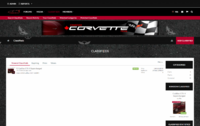
You will notice a couple of changes instantly. There's a new Classifieds drop down menu that will take you directly to the Classifieds engine.
Basic instructions:
- Whilst in the classifieds sceen, hit Add Classified to start the process
- Select category (Cars, Parts or General)
- Provide a title
- Provide a tag line
- Upload a custom icon for your ad, this will replace your avatar in the classified listing
- Specify Make, Model, Year and Mileage (these will show up above the main description)
- Put in a description
- Set a Location using the map screen, type in your town, or exact address and double click to place the pin somewhere
- You can optionally Make location private so that you only give it out to those who contact you at your discretion
- Specify price
- Only one package available, 30 days that's renewable
- You can optionally upload a file like a PDF scan of your carproof or something
- In the image gallery section at the bottom click upload images and upload multiple images (up to 20)
- Click Create Classified
Provided you filled in all the boxes a new thread will automatically created in one of 3 existing classifieds forums (Cars will be created in Vehicles for Sale/Wanted, Parts in Parts for Sale/Wanted and General in the General For Sale/Wanted)
Browsing classifieds:
You can use one of the many sub-menus to search, view recent activity, view your own listings and view watched categories and classifieds
Contacting seller:
Hit the classified you're interested in then press the Contact Advertiser button, this will start a private conversation (just like any other private conversation) with the seller)
Navigating the ad:
Each ad is comprised of the following sections:
Overview: - Shows car features, description, image galleries
Location:- Shows location of item if specified
Image Gallery:- Large image gallery of posted images
Discussion:- This takes you to the automatically created thread in the appropriate sub-forum, you can post questions, discussions etc. They will be visible to all
Selling tools:
If you've sold your item click on the big MARK AS SOLD button within the ad. This will automatically close the discussion thread also.
In the bottom right hand corner of each ad you have classified tools much like kijiji:
Edit ad, mark as sold, close, delete and so forth.
This is a bit of a beta at this stage so things could go wrong, please let me know if you see any obvious bugs or issues.
We will keep the existing forums and old classifieds for now. At the moment you are encouraged to list new ads using the Classifieds system.
Enjoy!
Last edited:






 ).
).